Turn the people who watch your videos into leads you can follow up with.
Right now your viewers watch and leave. MI VideosOS makes the video for you in minutes, hosts it on your own page, and asks for a name and email at the moment they’re most interested.
30-DAY MONEY BACK GUARANTEE · LAUNCH SPECIAL: $175 ONE TIME · GET INSTANT ACCESSYou do all the work. The platform keeps the viewer.
You spend an evening on a video. You upload it to a platform you pay every month. People watch — and some of them were ready to buy.
Then the video ends. No form. No offer. No follow-up. The platform’s “up next” sends them somewhere else, and you’re left with a view count and nobody to talk to.
Guessing what to make
Hours on a topic, then you find out nobody was looking for it.
AI video that looks cheap
Still pictures, a robotic voice and a fade. Viewers click away in seconds.
A stack of monthly bills
A video maker, a recorder, a host, an overlay tool, a research tool — none of them talking to each other.
Viewers who leave without a trace
No name, no email, no way back to them. The interest was real — you just couldn’t catch it.
MI VideosOS puts the whole job — research, creation, recording, hosting and lead capture — in one place you control.
Research it. Make it. Publish it — and keep the lead.
Research
Enter a topic and see which YouTube videos on it are taking off right now — and what the winners have in common.
Make
The AI writes the script and builds the scenes, voiceover, captions and music. Or record your screen and webcam instead.
Publish & Capture The Lead
Host it on your own page, embed it anywhere, and add an overlay that asks viewers for their email while they watch.
A view is nice. A name and an email is a business.
Overlays let your video do the asking — right at the moment the viewer is most interested. Pick the overlay, set the second it appears, and every lead lands in your autoresponder.
Ten ways to turn watching into doing
No time to make videos? Describe one and it’s done.
Tell MI VideosOS what the video is about, who it’s for and what you want them to do afterward. It writes a script that opens with a hook and ends on your call to action — then builds every scene.
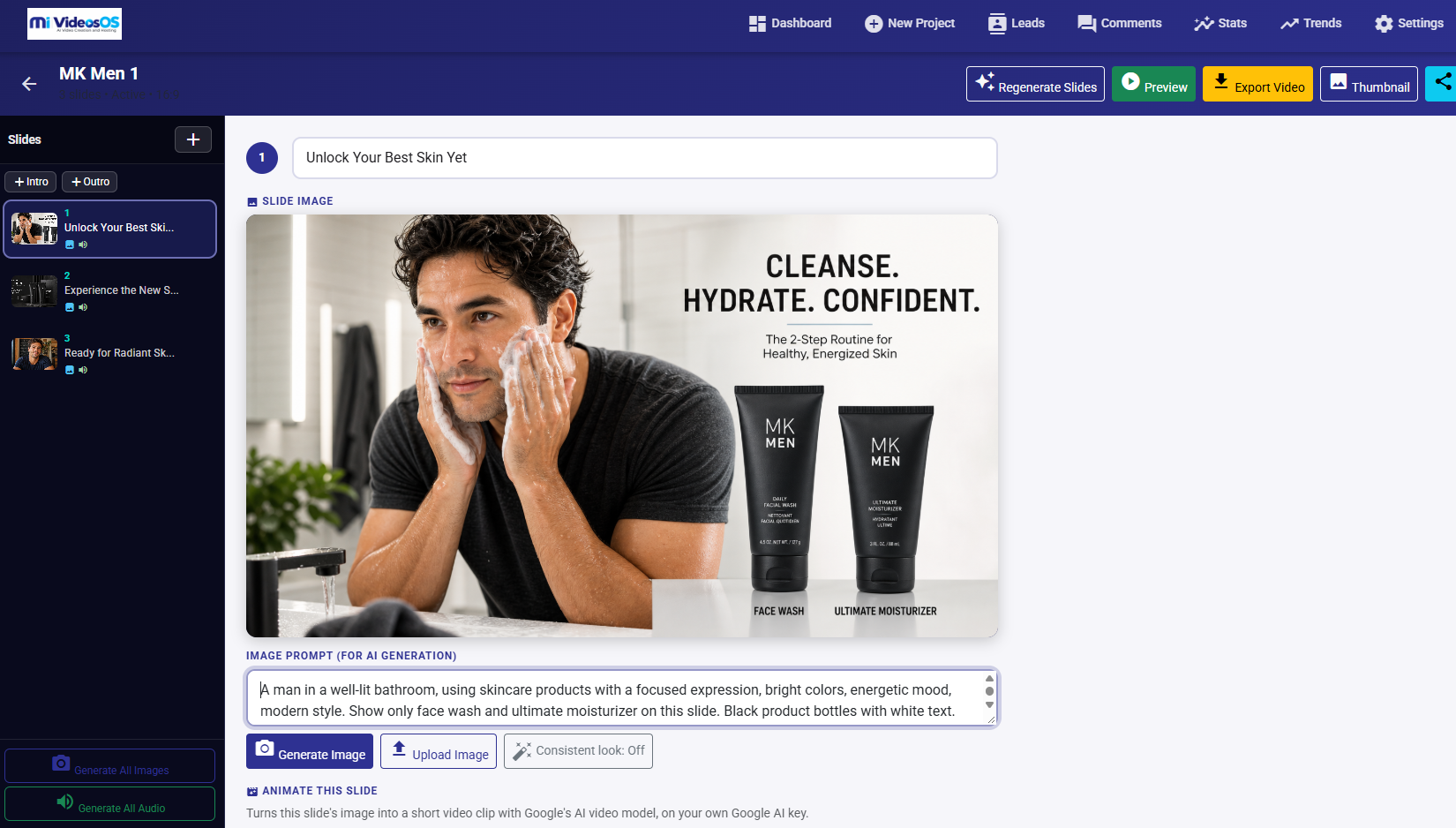
One photo of you becomes a character in every video.
Camera-shy? Upload a selfie and pick a style — cartoon, 3D animated, anime, comic, watercolour and more. The same face, hair and outfit carries through every scene, so your content feels like a series with you at the centre.
Only upload photos of yourself, or of someone who has given permission.
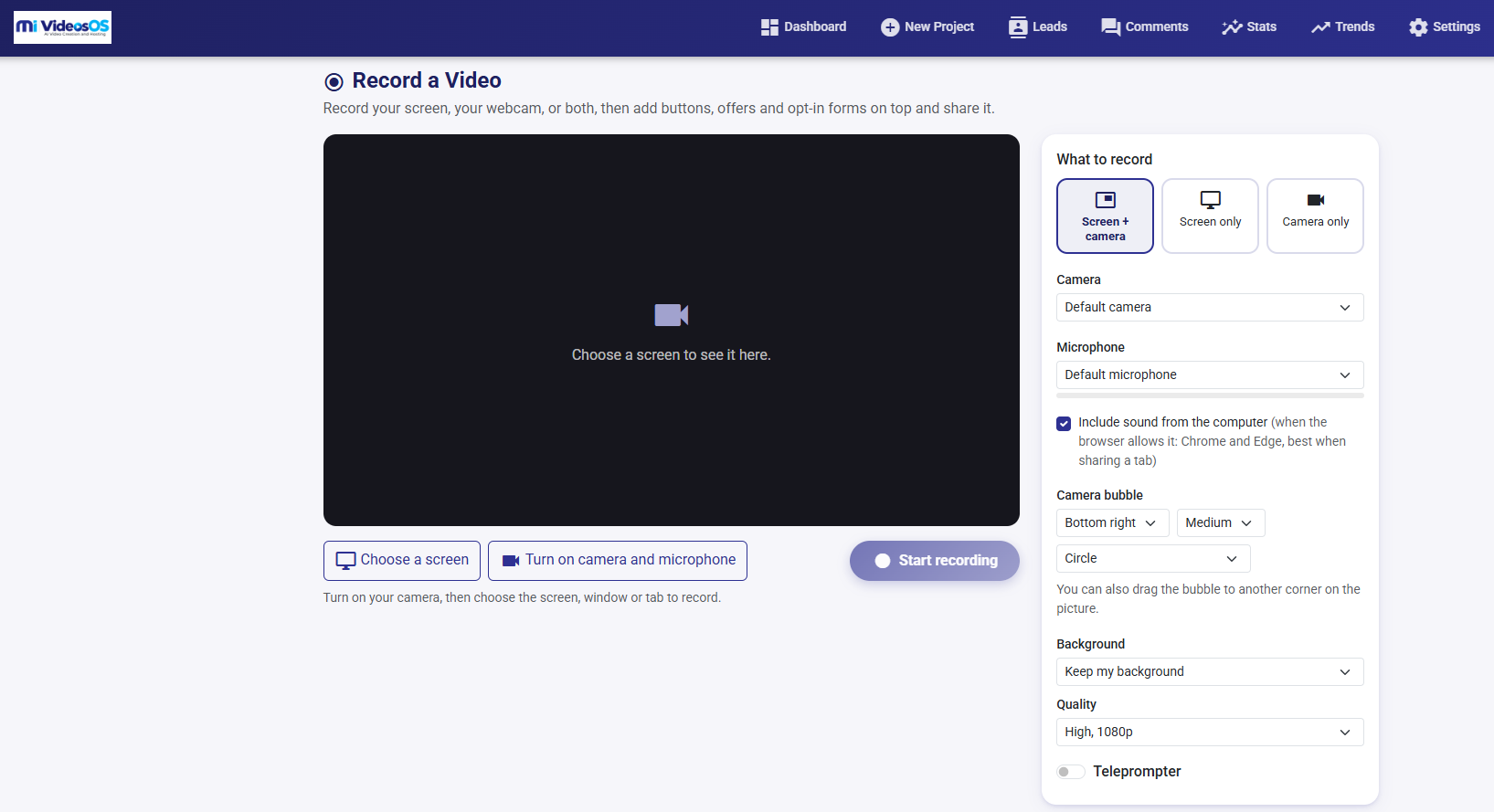
Rather talk to camera? Press record.
Record right in your browser — nothing to install. The moment you stop, the video is hosted and ready for an overlay.
Screen recording works in desktop browsers; on phones and tablets, record with your camera.
Not a slideshow pretending to be a video.
MI VideosOS can turn any scene into a genuine motion clip with Google’s Veo, and keeps every scene in one consistent visual style so the whole video reads as one story.
Veo animation uses your own Google Gemini key; Google bills per clip.
Your video, your page, your brand — no one else’s logo on the player.
Hosting is built in, so there’s no video platform to pay for and no “up next” pulling your viewer away. Every video gets its own landing page with your headline, your button and an email sign-up — one link for your posts, emails, ads or bio.
Hosting
A watch page for every video, embed codes for your site or blog, and your brand on the player.
Landing pages
Headline, text and button around the video, email capture on the page, one-click sharing and comments you approve.
Export anywhere
Download MP4 or WebM for YouTube, Facebook, Instagram or TikTok — or publish to your own page in one click.
Every video here was made and hosted in MI VideosOS.
No editing software, no stock footage, no separate video host. Try the overlays — that’s exactly what your viewers will see.
Know what works before you make it.
Search a topic and see recent YouTube videos and Shorts ranked by views per day. Click Analyse and the AI pulls out the hooks, title patterns, angles and lengths that keep winning — plus the gaps nobody has covered well.
Every idea has a Make this video button that opens a project with the title and hook already filled in.
Make your old videos start collecting leads.
Upload webinars, tutorials, product demos or Zoom recordings and host them in MI VideosOS. Then place overlays on the timeline — an opt-in at two minutes, a buy button when you reveal the offer, a countdown at the end.
The library you’ve already built becomes a lead-generation library.
One app where you used to need five.
| Normally a separate tool | In MI VideosOS |
|---|---|
| AI video maker | Built in — scripts, scenes, voice, captions, music |
| Screen & webcam recorder | Built in — with background removal and teleprompter |
| Video hosting | Included — your own watch and landing pages |
| Interactive overlay tool | 10 overlay types, lead capture and stats |
| YouTube research tool | Trend Research with AI analysis |
| All of it, in one app | $175 one-time |
If video is part of how you sell, this is for you.
Direct sellers & consultants
You post product demos every week. Now each one collects contacts you can follow up with.
Coaches & course creators
Your videos get views but not sign-ups. Overlays turn lessons into list-builders.
Local businesses
You know you need video but never find the time. Type an idea, get a finished video.
Agencies & freelancers
Clients want video yesterday. Deliver in minutes instead of days.
YouTube & Shorts creators
Stop guessing. See what’s trending, then make the better version.
Marketers & affiliates
Build your own list from every review and demo instead of sending traffic away.
Everything you need to make video that pays you back.
MI VideosOS Pro
Launch special30-day money-back guarantee. Try it on a real video.
Make a video, publish it and switch on an overlay. If MI VideosOS isn’t what you expected, email csc@marketinformatycs.com within 30 days for a full refund, subject to our Terms of Use.
Questions people ask first
Do I need any technical skills?+
No. You type an idea or press record; the app handles the script, scenes, hosting and page.
Will my videos look like generic AI content?+
You choose the visual style, can keep every scene consistent, animate scenes with Veo, add your own images and branding, star as your own character, or record yourself. Watch the demos above to judge for yourself.
Is this a one-time payment or a subscription?+
One payment of $175 during the launch special — no monthly fees. You get MI VideosOS Pro: 30 projects, 30 videos, up to 12 slides per video and 1000MB of storage.
Is there a money-back guarantee?+
Yes. If MI VideosOS isn’t right for you, email csc@marketinformatycs.com within 30 days for a full refund.
Where are my videos hosted?+
Hosting is included. Each video gets a watch page, a landing page and embed codes — no separate video platform needed.
Which API keys do I need?+
MI VideosOS connects to the AI services you choose. To use every feature you’ll add your own keys for OpenAI, ElevenLabs and Google Gemini. Each takes about five minutes to set up, and our setup guide walks you through it. You pay those providers directly for what you use, so you’re never marked up.
Where do my leads go?+
To your autoresponder by webhook, and to your Leads page where you can download them as a CSV.
How long can my videos be?+
From quick Reels to Explainers, Lessons and Sales Videos. Up to 12 slides for MI VideosOS Pro AI Projects.
Does it work on my phone?+
It runs in your browser. Screen recording needs a desktop browser; on phones and tablets you can record with your camera.
Can I use my own voice?+
Yes. Clone your voice in ElevenLabs and it appears in your voice list for every video.
Can I add overlays to videos I’ve already made?+
Yes. Upload any video, host it, and place overlays on its timeline.
What support do I get?+
Email us at csc@marketinformatycs.com.
Your next video can bring back more than views.
You can keep juggling five tools and hoping viewers find their way back. Or you can make the video, host it and catch the lead — all in one place.
Get MI VideosOS Pro — $175 One-TimeP.S. Every demo on this page was made and hosted in MI VideosOS. Scroll back up and try the overlays — that’s exactly what your viewers will see.
P.P.S. Already have videos? You don’t have to make anything new to start. Upload what you have, add an opt-in, and share the link today.
— Eric